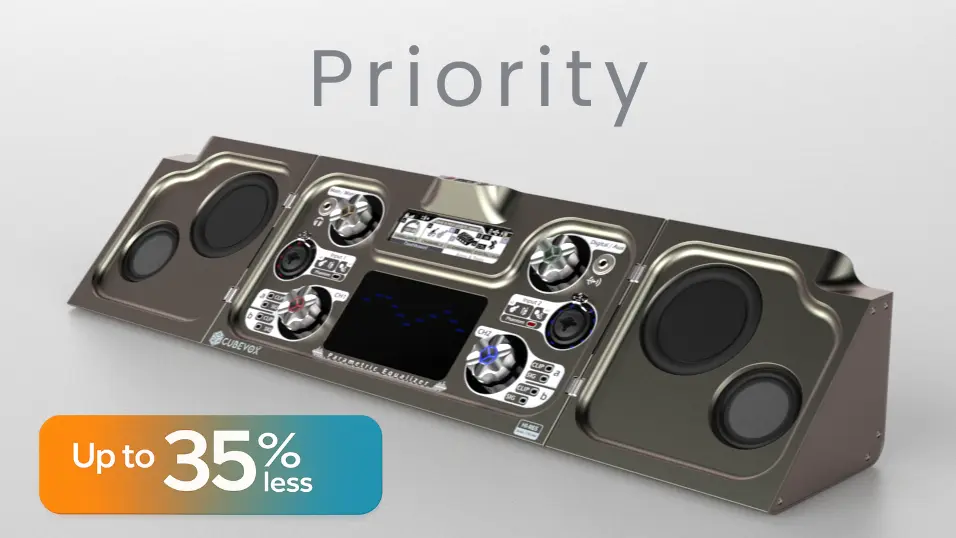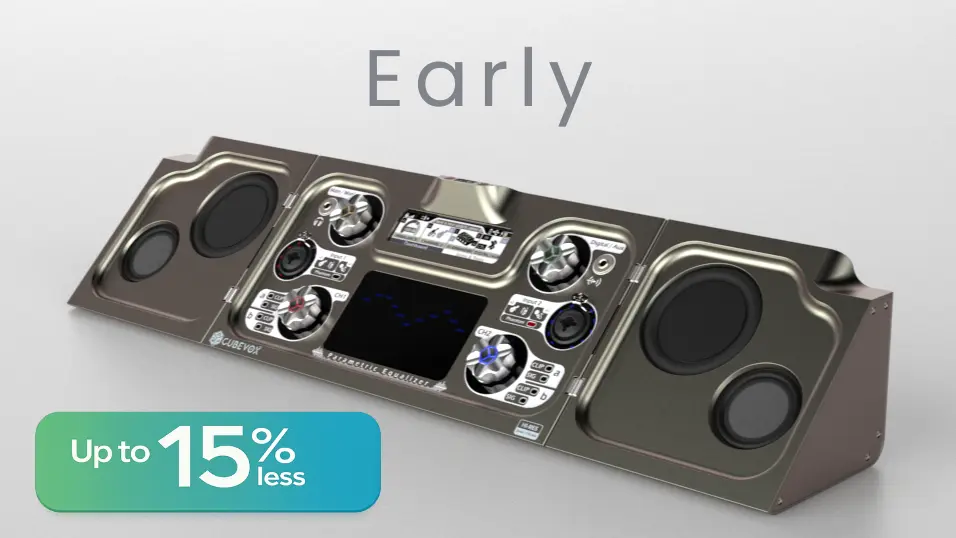
Concept
Open up to a new experience
All-In-One
Take it with you
One device, multiple uses
CubeVox goes wherever you go, ready to play for hours
Close → Carry → Open → Play.
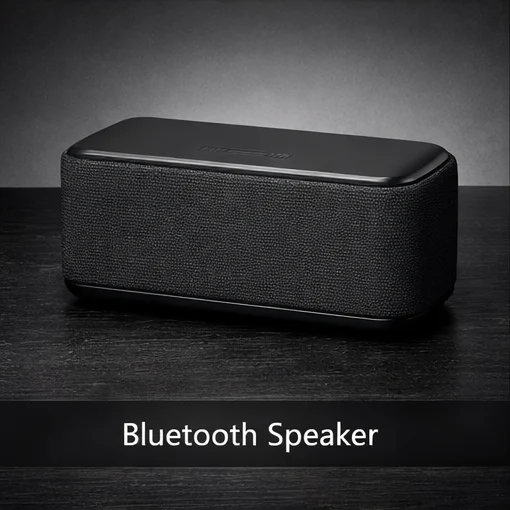
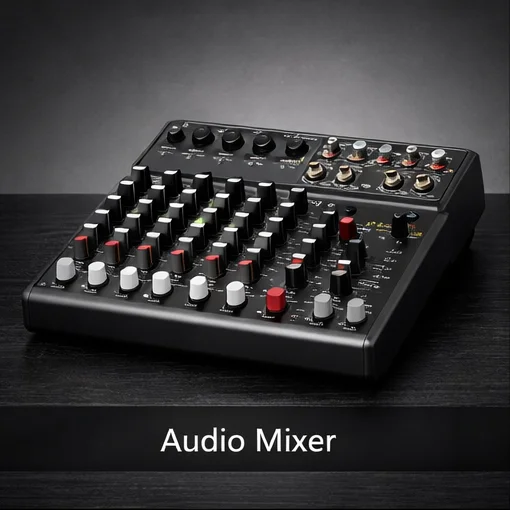
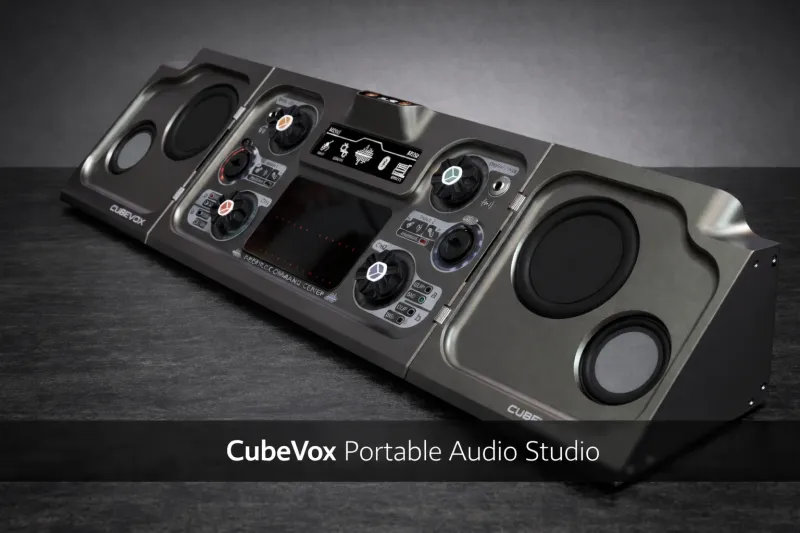
- Easy to carry.
- Long‑lasting battery.
- No extra cables.
Use it your way
CubeVox is more than
Sound Mixer
Multiplex each input and output, balance the signals, and optimize the dynamic range
See more
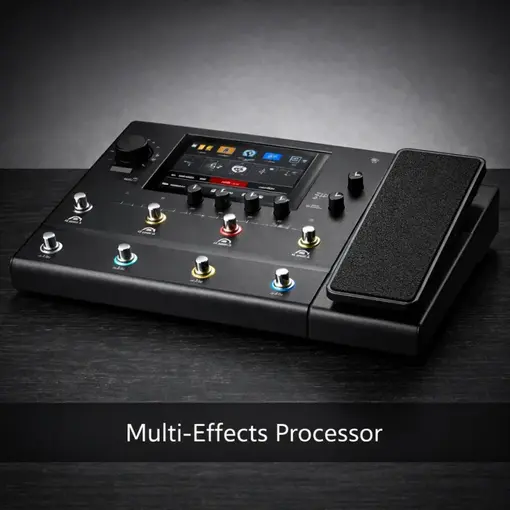
Multi-Effect
Apply effects or effect chains to each channel, use the 13‑band parametric equalizer to craft a unique sound
See more
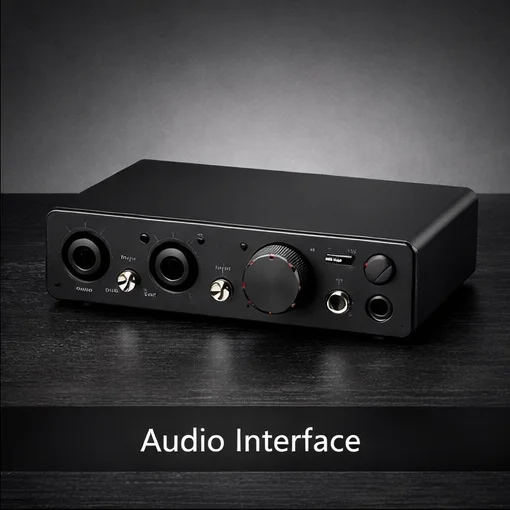
Audio Interface
Connect and expand via Bluetooth MIDI or through conventional USB/MIDI ports.Experience extreme sound quality at 24‑bit / 192 kHz with wide dynamic range and low harmonic distortion.
See more
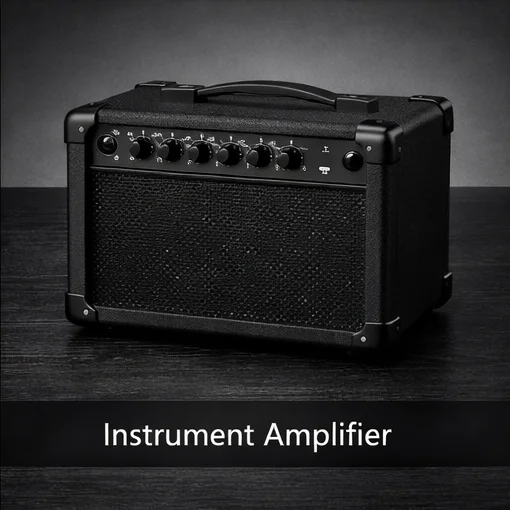
Instrument Amplifier
Connect up to 4 instruments of any kind and relax—CubeVox will automatically level gain and impedance for optimal performance.
See more
Bluetooth | WiFi Speaker
Uninterrupted sound!Stay connected via WiFi—control CubeVox anywhere, or stream high‑quality audio without lags thanks to Bluetooth 5.1 and AptX.
See more Portable Studio
Professional Production
wherever you are
From idea to session in minutes
Capture ideas with consistent quality and scale up to a multitrack session sin cambiar de herramienta. CubeVox + Compose Studio convierten el “setup” en un continuous creative flow.
- Multitrack Recording
- FX
- Sync + Versions
Capture · Quick take
Problem: the setup eats up your idea. Solution: ready-to-use tracks, consistent gain, and monitoring with FX.
LOCAL
Tracks0
FXLIVE
Compose Studio Core
Control, edit, and sync projects without breaking the creative flow.
- Multitrack
- Non‑destructive
- FX
- Sync
Demo:
Main flow; the final version adds per‑action adjustments (e.g., FX parameters) without changing the logic.
All set. Explore it freely.
CubeVox → Compose Studio Core
Complete control guide
MAIN
- Turn: Navigate through the controls tab‑style.
- Click: Activate control (button, checkbox, etc.) | Select control to change value (slider, arc, etc.) | Deselect control
- Double Click: Toggle Full Screen
- Long Press: Shows popup of “Save / Discard / Cancel” | returns to top‑level view/screen
MEDIA
- Turn: Scroll the timeline bar | resize region | navigate through Edit Menu options.
- Click: Start region | end region
- Double Click: Delete region (of selection, not FX regions)
- Long Press: Shows popup of Edit Menu
CH1
- Turn: Zoom X +/- | scroll in X
- Click: Adjust zoom to block | adjust view to cursor (cursor centered)
- Double Click: Toggle zoom mode | navigation
- Long Press: Adjust project zoom | Toggle between scroll to end and scroll to start
CH2
- Turn: Zoom Y +/- | navigation between Tracks
- Click: Adjust zoom to 0 dB | track selection (multiple allowed)
- Double Click: Toggle zoom mode | navigation
- Long Press: Adjust zoom to Track | clear track selection
Mixer
Level, mix, amplify
Local control or from Compose App
10
IN
Simultaneous inputs*
IN1 A/B + IN2 A/B + AUX or DIG (stereo/dual-mono), plus inputs via expansion modules.
6
OUT
Outputs per channel*
Main + Monitor + Headphones, with additional outputs available via expansion modules.
A/B
FAST
Subchannels per encoder
Fast subchannel toggle (A/B) without losing mix control. Color confirms what you’re adjusting.
⎇
MIXBUS
Clear routing
Inputs → channels → outputs, with digital mapping (BT/SD/USB) and auxiliaries without endless menus.
Tip:
Switch AUX/DIG and set EXP to view routing
DIGBT/USB/SD/WiFi
HPOUT
AUXIN
XLR | TRSIN
XLR | TRSIN
SPK RFront/Back
SPK LFront/Back
MIX BUS
SPK L and SPK R: Main mix to speaker (Front/Back).
HP: Dedicated monitoring mix, independent of speakers.
Audio flow
Enter via XLR | TRS (A/B) + AUX or DIG
AUX and DIG share a stereo pair (you choose one)
EXP sums configurable channels IN or OUT
The MIX BUS generates two outputs: SPK (to speaker) and HP (independent monitor).
I/O modules
EXPI/O
Configurable channels as individual IN or OUT.
ROUTING
Up to 10 simultaneous input channels*
Convert physical and digital sources into mix channels and create separate outputs to Main, Monitor and Headphones.
Dual-mono / stereo inputs
A/B subchannels per encoder
Expansion modules
AUX
DIG
MAIN / MON / HP
10
IN
Simultaneous inputs*
IN1 A/B + IN2 A/B + AUX or DIG (stereo/dual-mono), plus inputs via expansion modules.
6
OUT
Outputs per channel*
Main + Monitor + Headphones, with additional outputs available via expansion modules.
A/B
FAST
Subchannels per encoder
Fast subchannel toggle (A/B) without losing mix control. Color confirms what you’re adjusting.
⎇
MIXBUS
Clear routing
Inputs → channels → outputs, with digital mapping (BT/SD/USB) and auxiliaries without endless menus.
- Choose the channel source (IN1/IN2/AUX/DIG).
- Define the subchannel: A or B (dual-mono) or stereo.
- Assign the output: Main, Monitor or Headphones.
You add physical inputs/outputs depending on the module installed, without changing your mixing flow.
This is the DSP processing that mixes any available signal in any chosen combination, providing high flexibility and control over the sound.
*
Maximum number of inputs and outputs may vary depending on configurations and connected expansion modules.
TOUCH EQ
Per-channel Parametric Equalizer
Quick panel: adjust dB instantly and set frequency + Q from the menu.
13 adjustable bands
Active channel by color
Quick dB adjustment
FOCUS
EQ Panel
Adjust band gain in real time on the active subchannel. The color confirms what you are modifying.
For each of the 13 bands you define center frequency and Q factor from the device menu (OLED display). The panel is used for quick dB adjustment.
Each encoder controls 2 subchannels. On the device, toggling is done with a double tap. In this demo it is emulated with a second tap on the chip.
Subchannel
—
Band
—
Gain
0.0 dB
+12+60-6-12
How to test it:
1) Tap an encoder to select it.
2) Tap again to toggle its subchannel.
3) On the graph, slide vertically the points to adjust dB.
1) Tap an encoder to select it.
2) Tap again to toggle its subchannel.
3) On the graph, slide vertically the points to adjust dB.
I/O MODULES
Expand inputs and outputs seamlessly
CubeVox detects the module and enables configuration in dedicated menus.
Auto-ID
Auto-config
Dedicated menu
Expanding ecosystem: new modules in development.
Module
Unbalanced I|O Expanded
Perfil aplicado
0/0 canales
Disconnected
*Values subject to final validation.
PRODUCT SPECS
Unbalanced I|O Expanded
* Values subject to final validation.
AUDIO INTERFACE
High-fidelity interface
Hi-Res 24-bit / 192 kHz
USB-C / ROUTING
Connect via USB-C as an interface to PC/Mac and control the flow from the device: define whether the DAW receives clean signal or processed, and adjust monitoring without interrupting the session.
USB-C ↔ DAW
Direct / DSP / RT Monitoring
Loopback / Reamp
Safety (Dry+FX)
Flow
INPUT → PRE/AGC → (DSP) → USB-C / MON
Animated line = active path · Tap INPUT / USB-C / MONITOR / ANALOG FESelección
Input
Send to DAW
Monitoring
Utility
State
Choose which signal reaches your DAW: processed (FX), dry, or blended (BLEND). This allows flexible recording without forcing a single chain.
DIRECT prioritizes immediate response, DSP adds internal processing without relying on the DAW, and RT lets you hear the project’s return (useful for in‑session decisions).
Loopback enables internal routing, Reamp makes it easy to send/return DAW signals for reprocessing, and Safety keeps a parallel dry path alongside the processed one.
Multi‑effects
Your effects, always ready
Presets and scenes; local or in the cloud
CHAINS + PRESETS PER CHANNEL
Build channel chains and save presets/banks. You can operate from the device or from Compose.
Latency target
6.5 ms
•
Avail —
•
Free —
You set a target and the engine orchestrates CPU/RAM/latency, adapting complexity to maintain consistent response when conditions change (load, active channels, routing).
Compose
Footswitch
6.5 ms
DSP Load
—%
Profile: Instrumento • Humbucker
Preset: Warm Clean
Live, you can switch presets/banks from Compose or with a Bluetooth + NFC footswitch (in development) for hands-free control.
NFC Link: accessories and ecosystem devices link by proximity to synchronize and configure with guided setup.
Next-Generation Processing
Powered by the world’s most powerful SHARC+ chip. From ultra-low latency for live performance to studio setups with over 100 simultaneous effects.
Remote control
Selection of presets and banks from Compose. Ready for hands-free control with footswitch (dev).
Amplifier
Sounds professional
wherever you go
Amp + Cab + FX
Preserve the signal, shape the amp
Optimization of impedance and dynamics; then amps and cabinets (IR) to shape the final tone.
Input selection
IN1/IN2 switch between XLR or TRS. IN3 enables AUX 3.5 (DIG disabled).
IN1
IN2
IN3
Analog Front-End
Per‑channel adjustment: impedance matching, fine trim, and anti‑clipping AGC. Signal profiles + manual mode.
Signal type
Subchannel
Profile
▾
48V
Stereo
Trim:
0.0 dB
Perfil: —
Headroom
— dB
No Clipping
Intensity simulation
55%
—
AGC / Clip Guard
The “feel” starts at the input
Proper capture defines dynamics, attack, and headroom. Profiles per connector plus a configurable anti‑clip AGC.
Hi-Z / Line / Mic
Manual Trim
AGC Safe
• Real compatibility: profiles per XLR/TRS/AUX with calibrated ranges.
• Anti‑clip: SOFT (occasional clips) vs SAFE (no clipping).
• Control: Manual trim per input, or automatic when AGC is active.
Profiles establish a consistent baseline (impedance + sensitivity). If you adjust the trim, the profile switches to Manual.
SOFT exemplifies a “musical” protection with occasional peaks. SAFE adjusts to prevent ADC saturation.
Result (capture)
The profile sets impedance + base sensitivity. The trim makes fine adjustments (or is governed by the AGC).
MODE
—
—
IMPEDANCE
—
—
TRIM
—
—
CONVERSION
Hi-Fi ADC
Burr-Brown (TI)
Scale (low → high)
WIRELESS SPEAKER
Connect and go
Music without interruptions
✓
Play without relying on your phone: CubeVox connects directly to services while the mobile only controls
✓
360° sound in closed mode: uniform coverage throughout the room
✓
Move freely: when playing over Wi‑Fi, the music doesn’t cut out as you walk away
✓
Connect everything fast: NFC and multi-device pairing to add devices, with Bluetooth 5.1 (aptX) when you prioritize low latency
✓
Your library always ready: USB-A and microSD for offline playback and closed mode
✓
Immediate control: backlit touch panel for playback and volume

Wi-Fi AP & Host
Integrated client and access point

Bluetooth 5.1 + aptX
Low latency and greater stability

NFC + multi-device pairing
Immediate and simultaneous connection

USB-C + USB-A
Data, charging and peripherals
Compose & Cloud
Total control of your music
wherever you are
COMPOSE STUDIO APP
Edit and manage your projects, from any device.
Compose App expands the experience and gives you control: multitrack editing, take and preset management, and connection with AQA Cloud to keep your sessions synchronized, with change history, and ready to share or collaborate
Multitrack
Presets
Remote control
Fast Sync
CAPTURA → ORDEN
1/3
AQA CLOUD
The platform behind your ecosystem.
AQA Cloud is the foundation that supports CubeVox and Compose as the project grows: storage and continuity, versioning, access control in shared projects, and management tools to maintain order, traceability, and coordination. It also adds a layer of community and visibility to propel your work into the world.
Library & versiones
Tools
Opportunities
Subscription
Project continuity
1 project – N versionsAQA Cloud to scale: role‑based access, clear versioning, and continuity among collaborators.
⧉
CubeVoxcapture · monitoring · FX
Take◎
Compose Studio (core / app / cloud)edition · presets · control
Edit☁
AQA Cloudsync · resources · community
ScaleTip: The local workflow does not depend on the cloud; the cloud adds versioning, access control, and expansion.
Continuidad del proyecto
Muy pronto: funciones conectadas para que tus proyectos no se pierdan y siempre puedas retomar donde lo dejaste.
El objetivo: continuidad sin dependencia de setup.
Design
Dual Mode
Closed it sounds. Open it creates
Closed: you carry it easily and use it instantly as a wireless speaker, with the system protected and compact.
Open: it transforms into a workstation with direct access to controls and connections, allowing you to operate quickly without wasting time setting up.
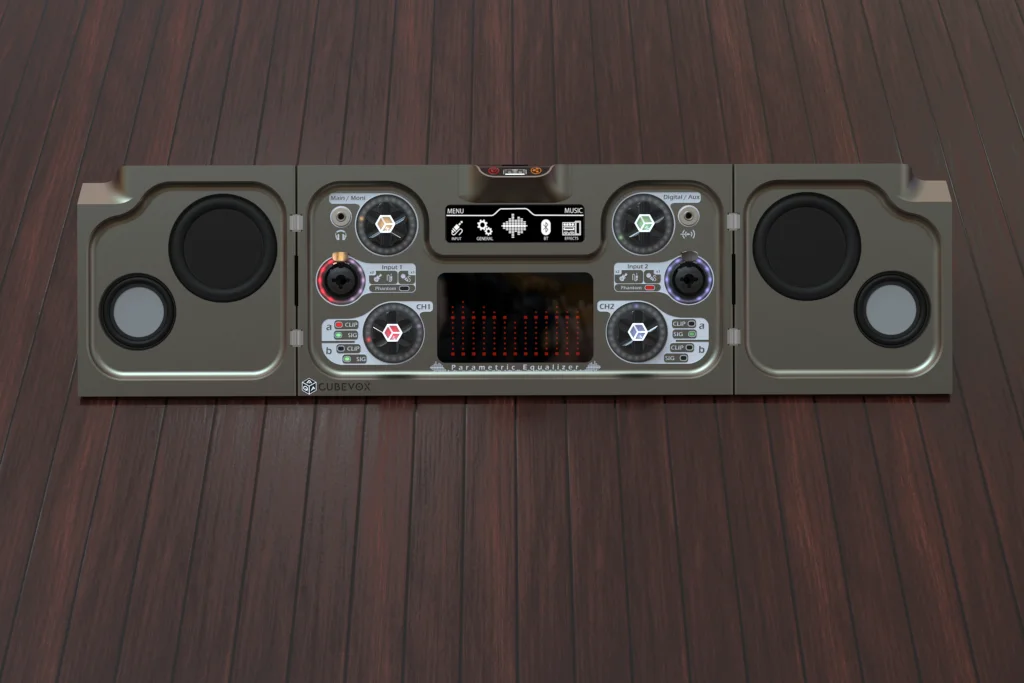
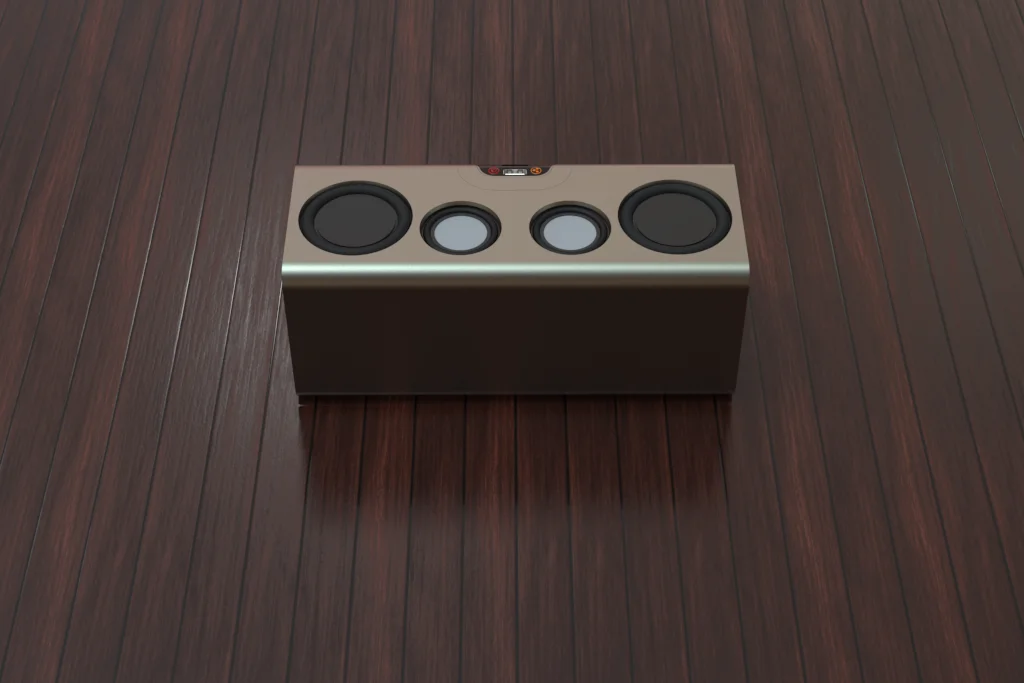
Take a closer look
Explore it and you’ll understand why it’s unique: real control, clear feedback, and direct operation.
All designed so you can move from “playback” to “creation” without changing equipment.
• Dedicated controls + indicators for instant reading
• Usage profiles to switch scenarios in seconds
• Structure designed for portability and operation
Innovative
Essential
in an All‑in‑One
Switch scenarios in seconds: play, perform, record, or process without rebuilding your setup.
• Removable battery + fast USB‑C 60W charging
• Multimedia keyboard with backlit buttons
• Real‑time DSP + Parametric EQ
• Physical and wireless connectivity plus expansion port
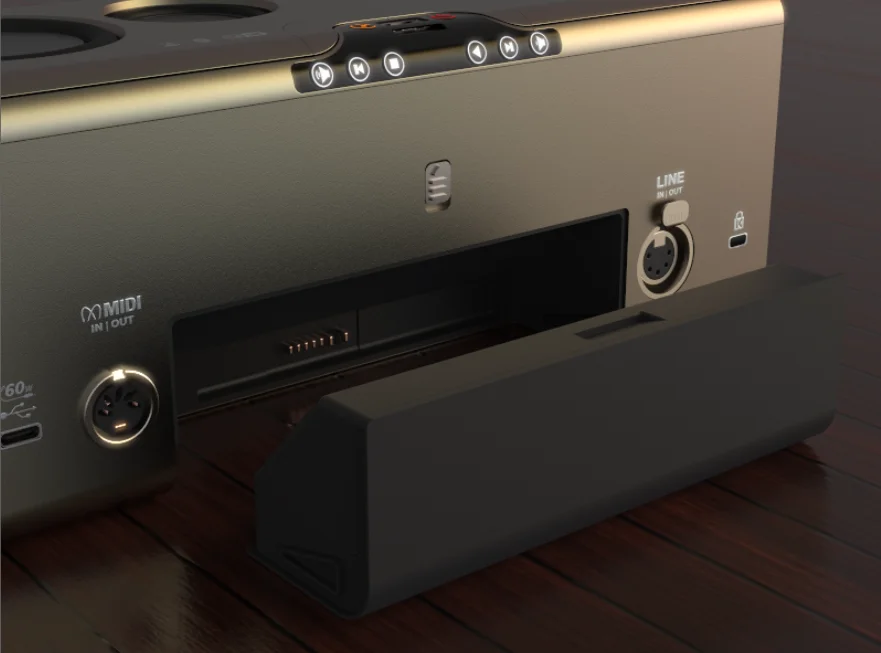
Removable battery
Extended autonomy and swap in seconds. Designed for sessions on the move.
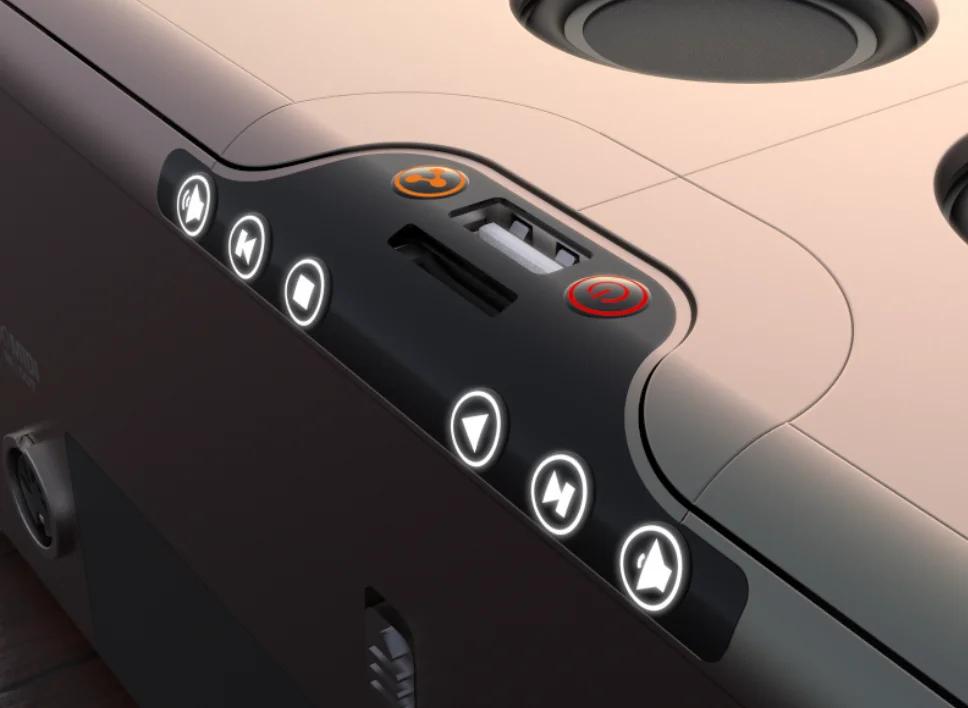
Multimedia module
Backlit controls with direct access to playback, charging, and storage
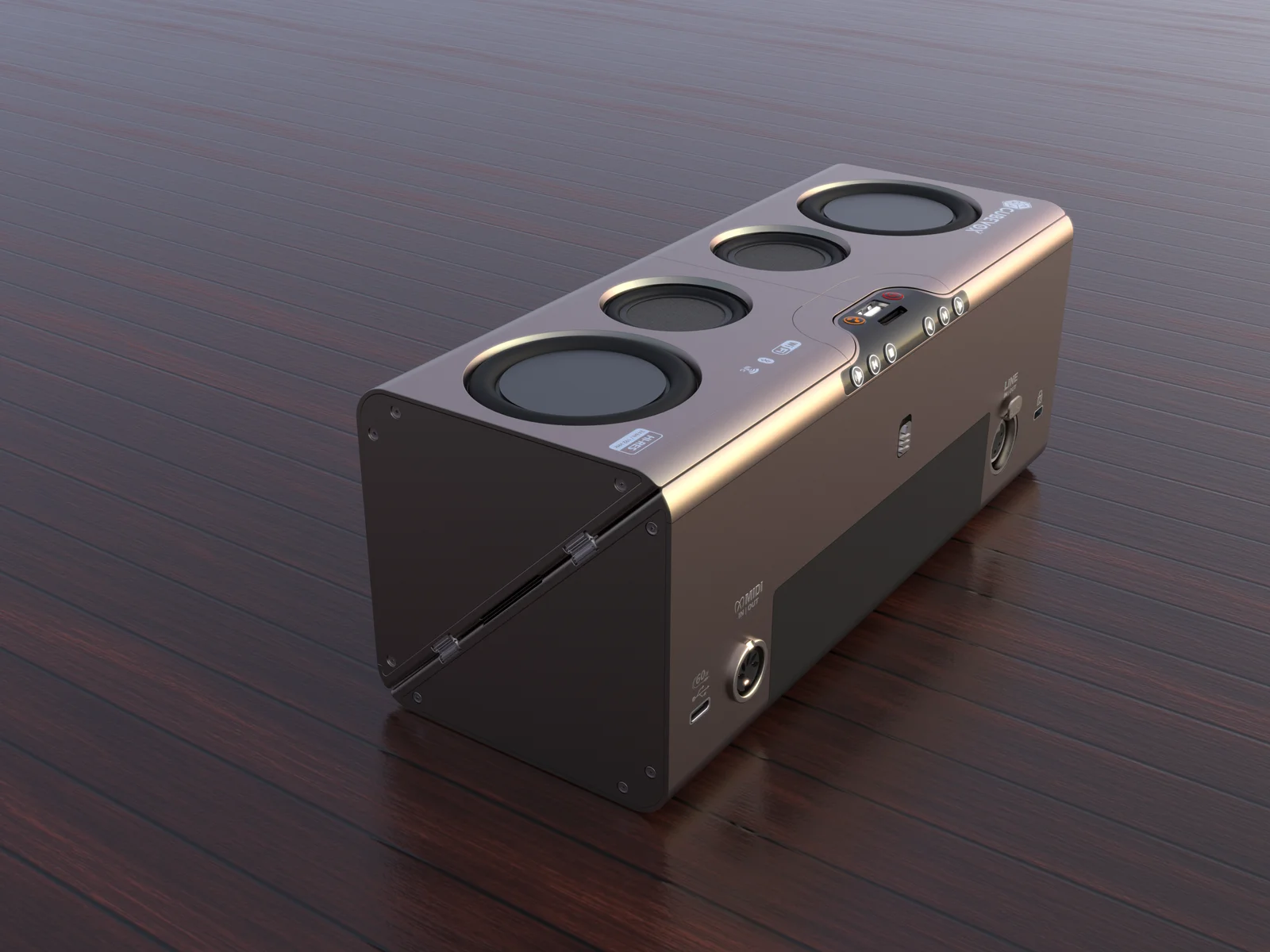
Connectivity
USB‑C, USB‑A, MIDI, Bluetooth 5.1, Wi‑Fi 2.4 GHz, and NFC for a frictionless flow
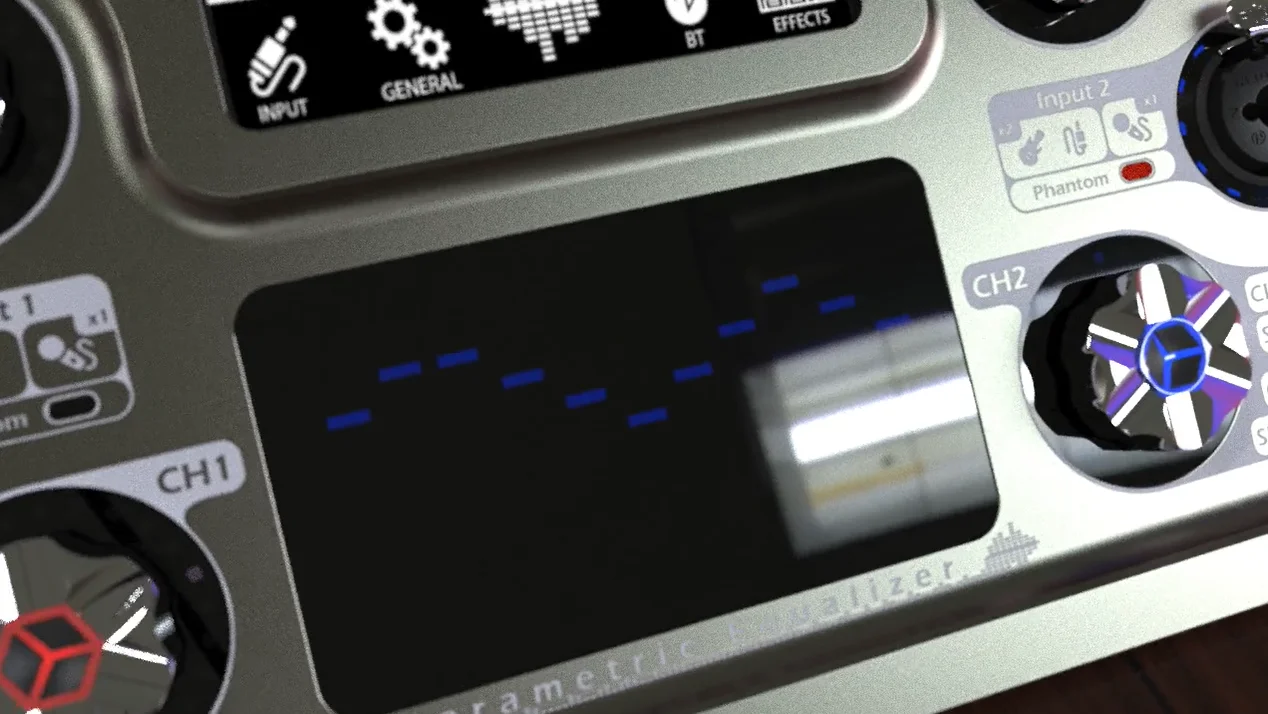
DSP + Parametric EQ
Real‑time processing with configurable routing and immediate physical control
Tap the image to view it full size. Tap outside to return.
Compact
Compact
and durable
Designed to move
2,5 kg
With batteries included
10×10 cm
Fits in your hand
25 cm
Closed
Anodized aluminum
Rugged body, ready for everyday use
Sound / Acoustics
The power you expect
with immersive projection
Up to
0
dB SPL
BMR drivers generate a wide dispersion so that the sound remains consistent throughout the room. You hear definition and balance without needing to be “in front of the speaker.” More soundstage, fewer blind spots.
We optimized the enclosures using Finite Element Analysis (FEA), so that the passive radiators deliver authoritative bass while maintaining control and efficiency. The result is a more solid low-end, with less perceptible compression when you turn up the volume.
TECHNICAL DATA
Product definition
Comparativa por rol y ficha técnica
Comparison by role
CubeVox integrates roles that normally require multiple devices. Compare by category.
| Features | CubeVox | Speaker | Amplifier | Interface | Mixer | Multi‑Effects |
|---|---|---|---|---|---|---|
Speaker output projection · volume · in‑room listening | ✓ | ✓ | ✓ | × | ◐ | × |
Interface / recording USB · MIDI · monitoring | ✓ | × | × | ✓ | ◐ | ◐ |
I/O + routing multiple inputs/outputs · buses · multiplexing | ✓ | × | × | ◐ | ✓ | × |
Real‑time FX DSP · chain · control | ✓ | × | ◐ | × | ◐ | ✓ |
Presets / recall save · retrieve · banks | ✓ | × | × | × | × | ✓ |
Non‑destructive DAW timeline · editing · export | ✓ | × | × | × | × | × |
✓Complete
×Not available
◐
Partial = available with typical limitations
Technical infographic
I/O, expansion and controls: a single view to understand the system architecture.
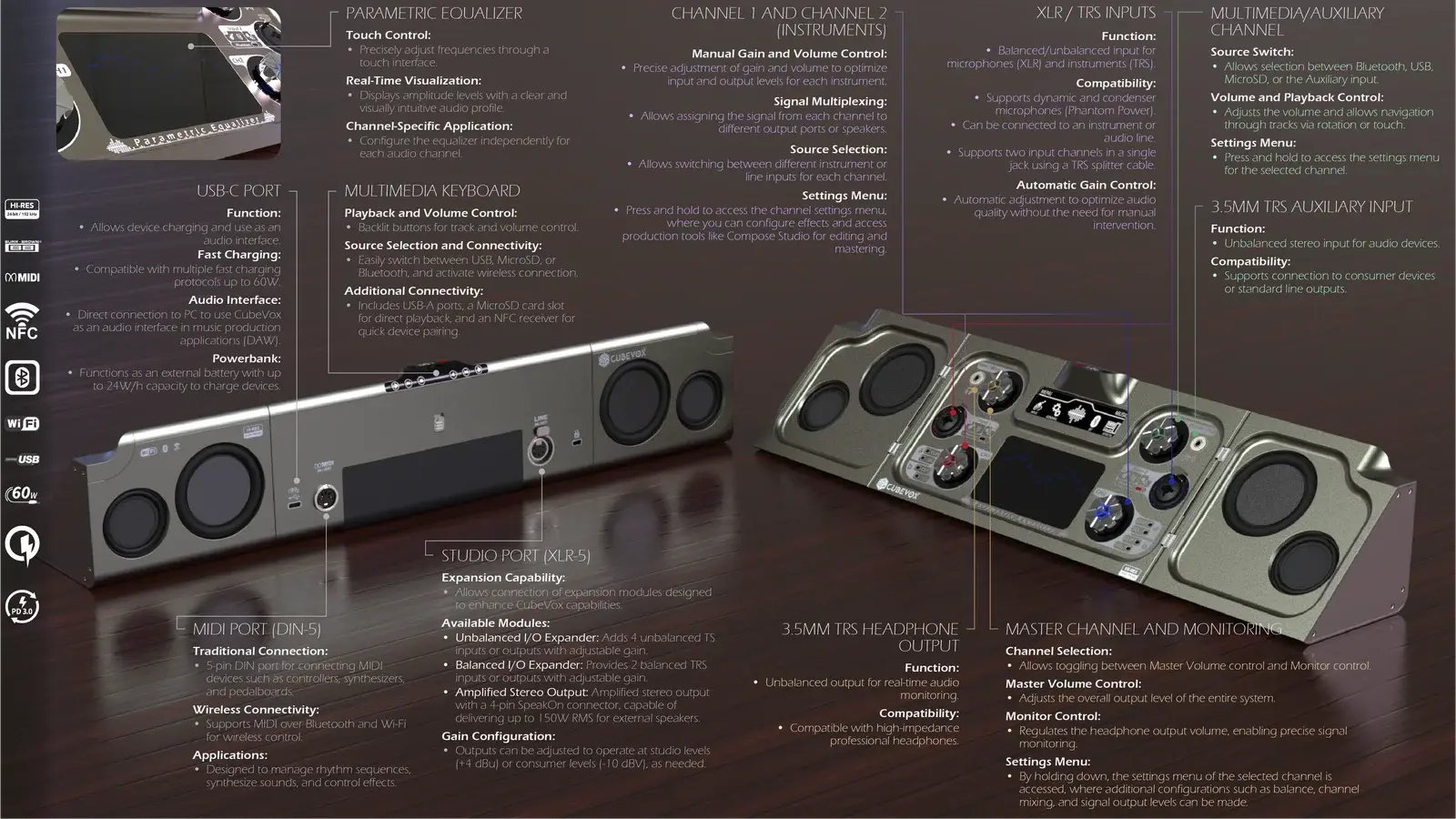
Vista
RESERVATION
Reserve your CubeVox today
Get the best price available during the campaign. Your reservation will be credited toward the final price.
Best price
Creditable reservation
Limited spots
Join the campaign today.
FAQ
Frequently Asked Questions
How can I purchase CubeVox?
You can purchase CubeVox in advance through our website or when we launch the crowdfunding campaign on Indiegogo. After the presale, you’ll still be able to find it here at the list price while we prepare to launch the second campaign on Kickstarter.
Who pays for shipping costs and import fees?
The buyer is responsible for paying shipping costs, as well as any import fees and customs duties.
When will I receive my CubeVox?
The shipping date may vary depending on the level of funding we achieve. We recommend keeping an eye on updates through our social media channels.
Can I buy additional batteries for CubeVox?
CubeVox comes with a removable 54 Wh battery, and you’ll be able to purchase additional batteries in our store.
Which will be the first Compose Studio?
Compose Studio is a special feature that will initially be developed on our WEB platform, and later mobile applications will be released. The timelines will vary depending on the funding level.
Will CubeVox include DSP?
Yes, but CubeVox’s DSP feature will only be developed once the funding levels described in the campaign are reached.
Can I use CubeVox while it is closed?
Yes, you can use it as a wireless speaker or to play music via Bluetooth, USB, or MicroSD. In this mode, you have access to backlit multimedia controls. Remember that when CubeVox is closed, the speakers that remain hidden will be deactivated. This reduces power output but increases battery life.
Will you develop a footswitch/controller for CubeVox effect changes?
Yes, we have advanced the development of a wireless footswitch that will connect via NFC/Bluetooth with multiple switches and an expression pedal. This accessory will be developed later in a new campaign, which will be announced on our website.
What is the battery life of CubeVox?
CubeVox comes with a removable 54 Wh battery, offering up to 14 hours of continuous playback in closed mode and 9 hours in open mode at 50% volume.
Can I use CubeVox while it is charging?
Yes, we designed CubeVox so you can use it at all times, even while charging, since it supports fast charging up to 60 watts. Just keep in mind that if the device’s power consumption is higher than that of your charging source, it will discharge instead of recharge.
Will accessories be available for CubeVox during the crowdfunding campaign?
For now, the campaign focuses on CubeVox itself and its main features. However, once the product is launched to the market, additional accessories will be available for purchase on our website.
What type of connectivity does CubeVox have?
CubeVox features NFC connectivity, Bluetooth 5.1 BLE AptX, and 2.4GHz WiFi – 802.11b/g/n for easy connection with mobile devices and computers.
What are the dimensions and weight of CubeVox?
CubeVox has dimensions of 25 cm x 10 cm x 10 cm in closed mode and 50 cm in open mode, with a weight of 2.6 kg.
Do you offer a warranty for CubeVox?
We offer a limited 1‑year warranty for CubeVox starting from the date of purchase. If you encounter any issues with the product, please contact us for more information on how to proceed.
All specifications and descriptions provided here may differ from the actual specifications and descriptions for the product. AQA reserves the right to make changes to this documentation and to the product described herein at any time, without obligation on the part of AQA to provide notice of such change. All functions, features, specifications, software, and other product information provided in this documentation, including but not limited to benefits, design, pricing, components, performance, availability, and product capabilities, are subject to change without notice or obligation. The contents within the screen are simulated images and are for demonstration purposes only.
The surface finish may vary during production.
- The surface finish may vary during production.
- The device casing may be made of aluminum, plastic, or wood.
- Initial effects, the ability to create custom effects, DAW integration, and Compose Studio in all its implementations will be developed if the funding levels described in the campaign are reached.
- Nominal values such as dB SPL, THD, SNR, Dynamic Range, among others, may differ slightly from those reported on this page, since in production and with greater funding, changes could occur that affect each of them.
OUR APPROACH
Less gear, less back and forth. More time to create.
CubeVox is built around a simple idea: helping you create, practice, record, and move with one tool instead of relying on different devices for each stage.
One tool for more moments
Portable without compromise
Less friction, more continuity
Serious audio, real use
Today, many people need one setup to practice, another to record, and another to take their music elsewhere.
That turns what should feel direct into something slower and heavier. You end up reconnecting, reconfiguring, and adapting over and over, often giving up control or audio quality just to stay portable.
- More gear than necessary for everyday audio work
- Time lost rebuilding the setup instead of moving forward
- Portable options that often force compromises in function or experience
CubeVox brings together in one device tasks that are usually split across several pieces of gear.
Instead of jumping from one device to another depending on the moment, CubeVox is designed as a more continuous base for working with audio: creating, processing, playing back, and adapting to the context without rebuilding everything each time.
- A simpler system to carry and use
- More continuity between practice, creation, and production
- Less dependence on assembling a different setup for every situation
The value comes from moving forward faster and with less friction, without feeling like you are using a stripped-down solution.
CubeVox is not meant to replace only one device. It is meant to simplify the whole journey. Its value is not only in what it includes, but in what it removes: less to carry, less to configure, and fewer interruptions along the way.
Less gear
Less setup time
More continuity
More freedom to create
In short, CubeVox is designed to make working with audio simpler, more portable, and more continuous—without forcing you to jump from one device to another just to keep moving.